Originally published in Portuguese on 27 November 2026: Portuguese version.
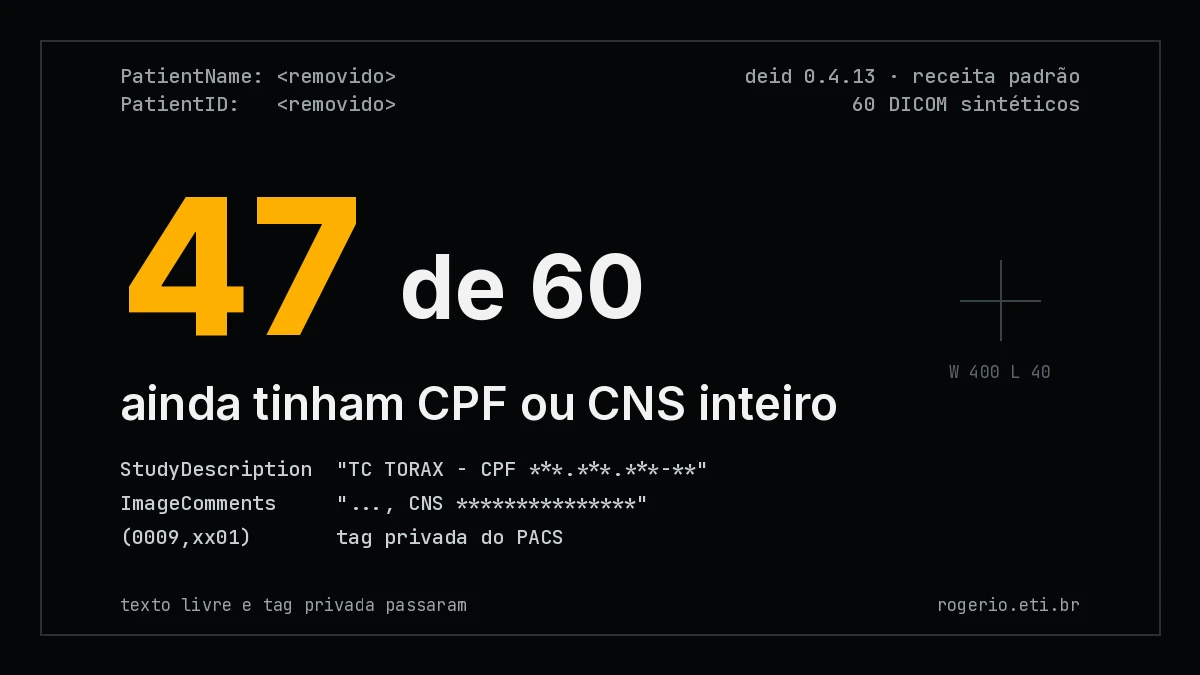
I ran 60 synthetic DICOM files through the default recipe of deid 0.4.13. The patient’s name, PatientID, birth date, address and phone number were gone from their own fields in 60 of 60. But 47 of 60 still had a full CPF (the Brazilian individual taxpayer number) or CNS (the national health card number) somewhere in the file. They were in the study description, in the image comments and in a private PACS tag, where the default recipe does not look.
With remove_private=True, it dropped to 36 of 60. With an extra recipe of 7 rules, 0 of 60.
Code and real output: demos/18-deid-dicom-cpf, in the nursia-research-lab repository. It runs on CPU, with no account and no key.
Where did the question come from?
I have tested a few tools that look for CPF numbers in clinical text. With those, the problem was finding the number in the middle of a sentence. Medical imaging looks different: DICOM has a proper field for each thing (PatientName, PatientID, PatientBirthDate), and de-identification tools work field by field.
But exams done in Brazil go through people typing. The technician writes “TC TORAX – CPF …” in the description. The hospital system stores the CPF in a vendor private tag. So I wanted to know: when the identifier leaves its proper field, does the default recipe catch it?
What is deid?
deid is a Python library from the pydicom ecosystem that removes identifiers from DICOM headers. MIT license. I used 0.4.13, the latest on PyPI on 26 November 2026, with pydicom 3.0.2. You describe what to do in a “recipe”, a text file with lines like REMOVE PatientName, and the replace_identifiers() function applies it.
Without a recipe, it uses the default one and says so in the log: No deid specification provided, will use defaults. I opened that recipe file in the installed package (deid/data/deid.dicom). The header section has 67 REMOVE lines and 6 ADD lines. It removes every field ending in Date, Time, ID and IDs, every field containing UID, physician names, and the patient’s address and phone.
StudyDescription, ImageComments, RequestedProcedureDescription and InstitutionName are not on the list. And the function signature says remove_private=False.
How did I run it?
- Linux, CPU, Python 3.11.18, in a clean venv.
deid==0.4.13,pydicom==3.0.2. - 60 CT DICOM files with an 8×8 image of zeros, generated with a fixed seed. No real file.
- Every file has an obviously fake name (
FICTICIO^PACIENTE 00), a CPF inPatientID, a CNS inOtherPatientIDs, birth date, address, phone and the “Hospital Ficticio de Exemplo”. CPF and CNS pass their check digits and are drawn at random, not taken from any registry. - By random draw, the identifier also goes into free text: CPF in
StudyDescription(40%), name and CNS inImageComments(50%), phone inRequestedProcedureDescription(30%), name in a nested sequence (50%) and CPF in a private tag(0009,xx01)(50%).
After running deid, I scan every element of the file, including inside sequences, for each planted value. The core, simplified, is this:
limpos = replace_identifiers(caminhos, remove_private=False)  # the default

for ds in limpos:
    for el in ds.iterall():          # walks into sequences too
        if el.tag == 0x7FE00010:     # skip the pixel data
            continue
        valor = str(el.value)
        if any(c in valor for c in canarios["CPF"] + canarios["CNS"]):
            vazou.add(el.keyword or "privada")
Three scenarios: A, the default recipe; B, the default with remove_private=True; C, the default plus a 7-rule file of mine, also with remove_private=True.
What came out?
Numbers from results/resultado.txt:
| Scenario (60 files) | with CPF or CNS | with personal data* | with institution name | without the 3 UIDs |
|---|---|---|---|---|
| A default recipe | 47 | 55 | 60 | 60 |
B default + remove_private=True |
36 | 52 | 60 | 60 |
C default + 7-rule recipe + remove_private=True |
0 | 0 | 0 | 60 |
* CPF, CNS, name, birth date, phone or address. The institution is not counted.
In scenario A, where it was left (number of files):
| Field | Files |
|---|---|
InstitutionName |
60 |
private tag (0009,xx01) |
30 |
ScheduledProcedureStepDescription (inside the sequence) |
27 |
ImageComments |
26 |
StudyDescription |
23 |
RequestedProcedureDescription |
21 |
What the default recipe does, it does well. In the fields that identify the patient (name, PatientID, OtherPatientIDs, birth date, address and phone), nothing was left. Sex (PatientSex) stays, because the default does not remove it. The automated test checks that PatientName and PatientID are absent in 20 files.
remove_private=True removed the 30 private tags and brought the CPF count from 43 down to 23 files. What is left is free text. It is like locking the front door and leaving a note with the CPF taped to the window.
What is the 7-rule recipe?
FORMAT dicom

%header

REMOVE StudyDescription
REMOVE ImageComments
REMOVE RequestedProcedureDescription
REMOVE ScheduledProcedureStepDescription
REMOVE InstitutionName
REMOVE InstitutionAddress
REMOVE PatientTelephoneNumbers
It has 7 REMOVE rules and adds to the default with DeidRecipe("receita_br.dicom", base=True). The last line is redundant: the default already removes everything that starts with PatientTelephoneNumber. I kept it to be explicit.
What did not work?
Two things. First, I thought remove_private=True would fix almost everything, because that is where I usually see hidden identifiers. It removed the private tag from the 30 files, but only 11 ended up without a CPF or CNS (from 47 to 36). The others also had the number in free text.
The second one caught me off guard. In all three scenarios, the default recipe deleted SOPInstanceUID, StudyInstanceUID and SeriesInstanceUID from the 60 files. The REMOVE contains:UID line does that. Without those three, the image loses its link to the series and the study. For research that needs the whole series, deleting does not work. You need to replace each UID with a new one, consistent across the files of the same study. The demo does not do that.
Who is it for, and when would I not use it?
It is for people who will release images for research or model training and want a de-identification step in Python, versioned and testable. The recipe is text. You can review it in a pull request, like code.
What I liked: the patient fields go away without you writing anything, including the ones ending in ID and Date, which are the easiest to forget. What I did not like: the default keeps private tags and free text, and deletes UIDs instead of replacing them. In all three cases, the default picks the side that asks more of you.
In my view, the real cost is finding out where your equipment and your team write identifiers. That means looking at a sample of real exams, with authorization, before trusting any recipe. Under the LGPD (Brazil’s general data protection law), health data is sensitive data (art. 5, II). A file with a CPF in the study description would hardly be treated as anonymized data (art. 5, III, and art. 12).
When I would not use deid alone:
- Ultrasound, X-ray with the report on the image, or screen captures. The identifier is burned into the pixels. deid has a pixel module that I did not test.
- When the research needs the study description. My recipe deletes all of it. The way out is to replace it with a neutral value, not delete it.
- When you need to keep the whole series linked. That calls for UID replacement, which the default recipe does not do.
How far does this test go?
- Synthetic data, and I chose where the CPF shows up. The draw percentages are mine, not a measurement from a real PACS.
- Header only. Pixels are out.
- I did not compare the recipe line by line with the DICOM confidentiality profile (PS3.15, Annex E). I could not open the standard’s page. What I checked was the installed recipe file and the function signature.
- One version of each library, one date, one system.
Source and how to reproduce
deid 0.4.13 (MIT): github.com/pydicom/deid and PyPI. pydicom 3.0.2 (MIT): github.com/pydicom/pydicom. Versions checked on PyPI on 26 November 2026. Code read: deid/dicom/header.py and deid/data/deid.dicom.
Code and real output: demos/18-deid-dicom-cpf. Three commands:
git clone https://github.com/rogeriorrodrigues/nursia-research-lab
cd nursia-research-lab/demos/18-deid-dicom-cpf && pip install -r requirements.txt
python demo.py && python -m pytest tests -q -s
The test generates 20 files and checks that the default recipe removes PatientName and PatientID from all of them and that a CPF and a private tag are still left in at least one. In this run it printed 17 of 20 with a CPF and 12 of 20 with a private tag. The output goes to results/resultado.txt and results/resultado.json.
So, where did the identifier show up in the exams you have had to de-identify? Description, comments, private tag or pixels?
Published on 27 November 2026. Changelog: 27 November 2026, publication.
The demo is part of the NursIA research repository (PPGINFOS/UFSC, FAPESC grant).